
When people talk about AI today, most of them think of the large language models: ChatGPT, Claude, Gemini. Open the input field, enter a prompt, get a result – in the hope of receiving a high-quality answer to every question or task. These very models are also used in one of our current projects – but not only where text, images or code are being created. This is exactly where thinking about AI often falls short: it is reduced to what becomes visible at the end.
But AI is more than text, images and code. The most exciting question is not what a generic model can produce, but how AI helps us arrive at a result in the first place. The focus is not on the end product, but on the journey there. After all, the result is only ever as good as the process behind it. An AI-generated contract text is of little use if the underlying data is incomplete or the right people never find out it exists. Processes that used to be sluggish, fragmented or simply not scalable can now be implemented and enriched at a speed that would have been unthinkable just a few years or months ago. AI is rarely the finished product. It is more the tool with which the product can be built in the first place.
It is precisely this perspective that changes the possibilities projects bring with them. And it also changes which tools we pick up to do so.
The starting point
In many projects and companies, the same two patterns come up again and again: either information is of such poor quality that it is simply unusable – or it exists in acceptable quality but is not accessible to the relevant target groups. Both lead to the same result: processes stall, employees search instead of working, and decisions are made based on gut feeling rather than facts.
In my current project environment, there were therefore two key challenges to overcome:
- Identifying and orchestrating a selection of tools that implements the process sensibly and efficiently – without ending up in a sprawl of isolated solutions.
- Defining a suitable data model that scales as soon as further process steps or target groups are added. The aim is to avoid having to turn the data model inside out again after a few weeks.
The use case
The goal is to offer each target group exactly the information that is relevant to them and to show them the next best actions. The scope covers the entire user lifecycle of an employee – from the personnel requisition with the initial data collection, through contract creation and the ongoing maintenance of personal data, all the way to an employee’s departure.
The interests of the groups involved differ greatly. Managers want to submit new personnel requisitions quickly and intuitively, ideally where they already work. HR staff want to be notified immediately as soon as a requisition comes in and be offered the next steps automatically – contract draft, onboarding preparation, working through the equipment list. Employees themselves, in turn, need a simple way to maintain their own data that does not require several days of training first.
The complexity therefore does not lie in a single step, but in the end-to-end orchestration across many roles and system boundaries – and this is exactly where AI comes in: as a connecting element that interprets data, prepares content and brings the right information to the right place at the right time. This orchestration, this deliberate bringing together of people, process and tools, is the core of UX solution architecture.
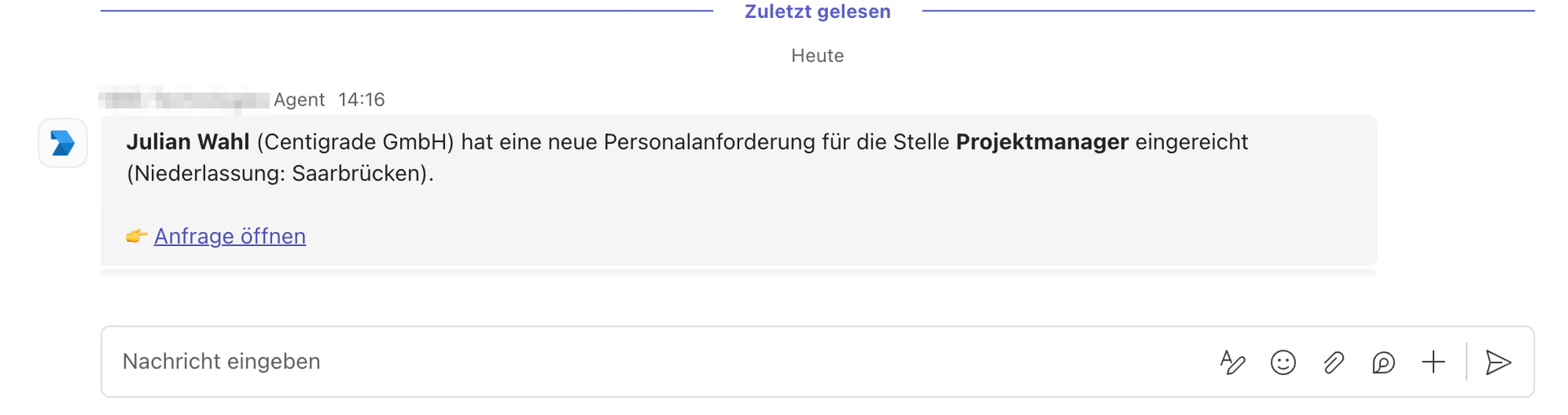
A concrete example makes this tangible: a manager reports the need for a new position – not in a separate tool, but via an Adaptive Card directly in the Teams chat they already work in. The input is captured in a structured way and automatically created as a record in the central data model.
At the same moment, the orchestration in the background triggers the next steps: HR receives a proactive notification with a direct link to the new requisition and is immediately offered the next process steps.
When application documents are added, an AI step reads the CVs, extracts relevant information and fills in the matching fields automatically, instead of data having to be transferred manually and therefore error-prone.
On this basis, contract drafts are prepared, onboarding tasks are triggered and the people involved are informed at the right time whenever a status changes.
For those involved, this flow feels seamless – even though Teams, the data model, workflow orchestration and several AI components work together in the background.
Who’s who of the AI tool landscape in action
Implementing the use case draws on the who’s who of current AI and automation tools – each with its own reason for being there.
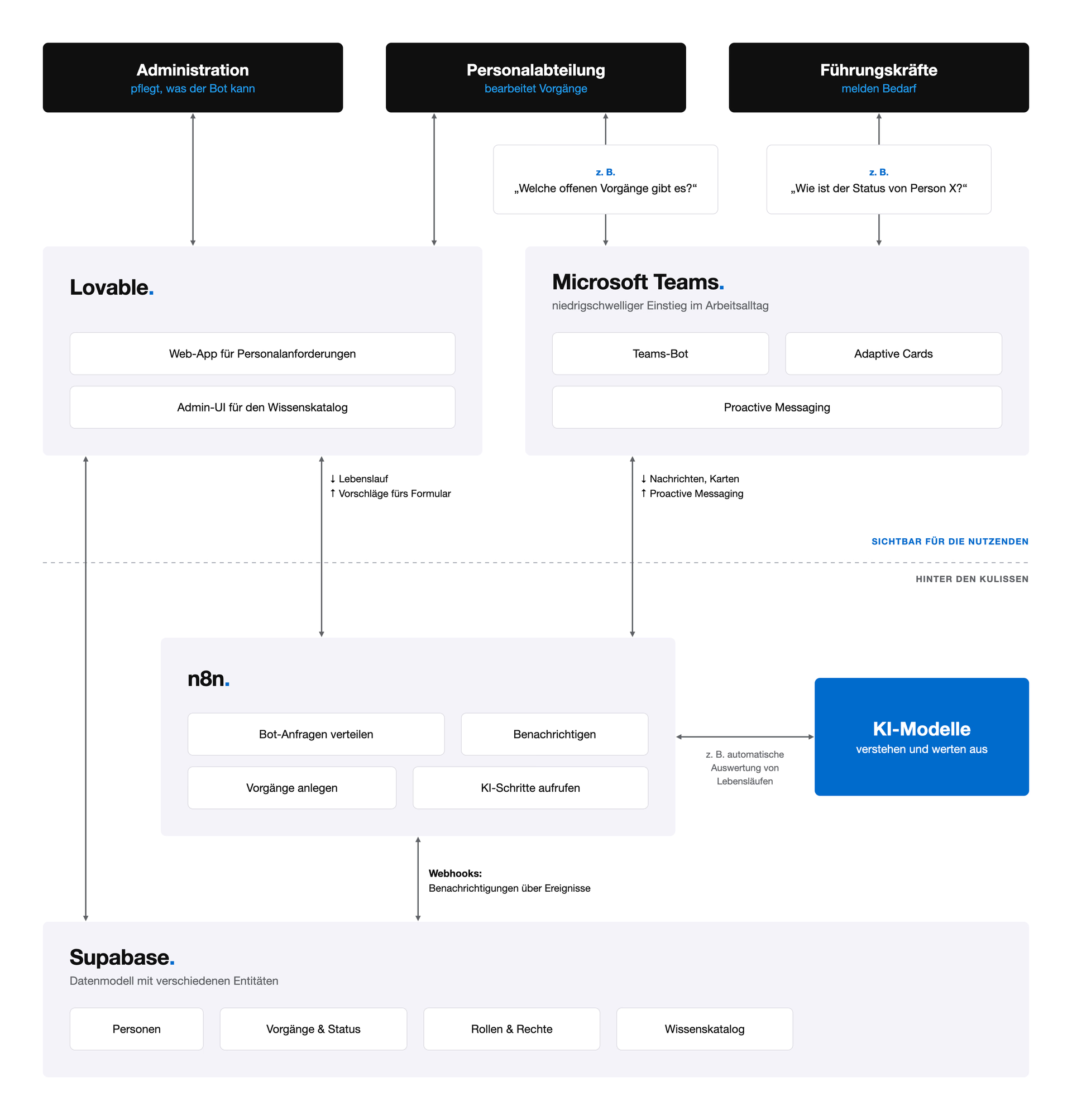
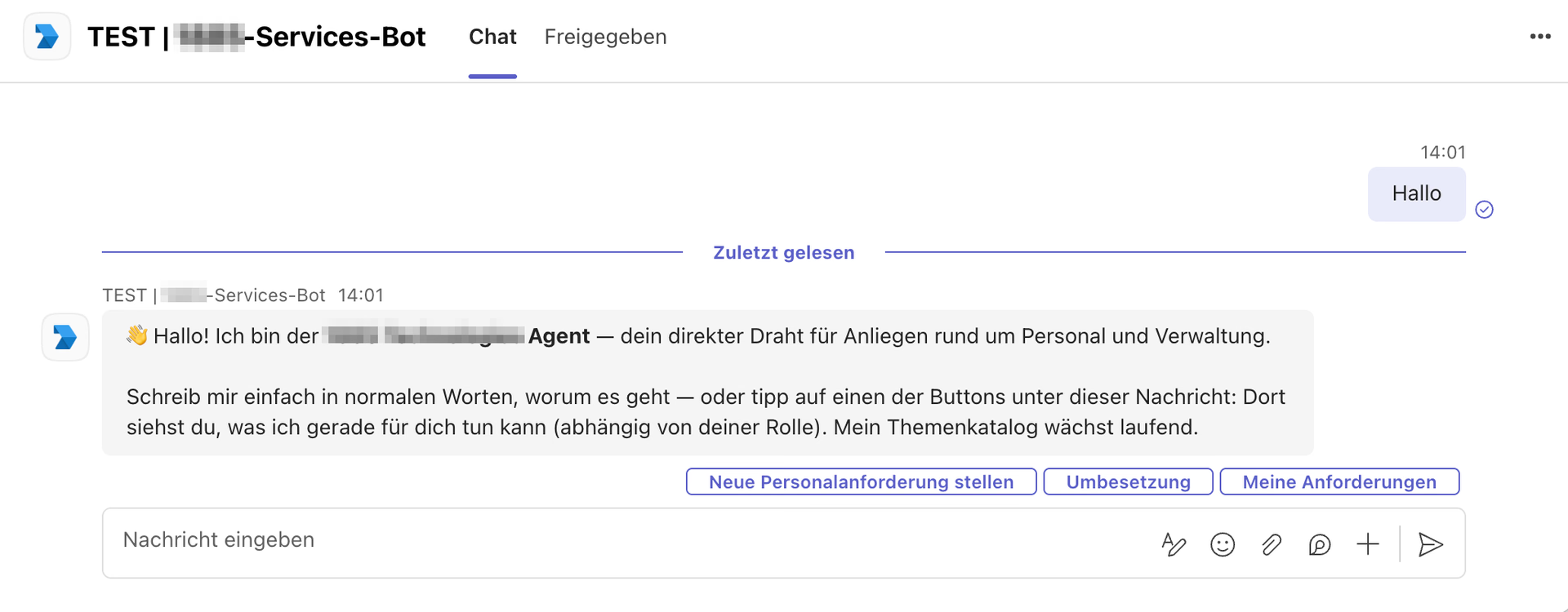
Microsoft Teams serves as the entry point for users. Instead of learning yet another application, managers and HR stay where they already spend most of their working day. Specifically, we use a Microsoft Teams bot that is always available and knows exactly what it is responsible for. Adaptive Cards allow forms, contract drafts or status overviews to be displayed directly in the chat – structured and interactive, without users having to switch tabs. With proactive messaging, the bot also reaches out on its own as soon as relevant events occur: a new personnel requisition, a status change, a required approval. The information comes to the people instead of people having to search for it.
Lovable comes into play where we need our own interfaces that go beyond what Teams can do. With Lovable, we build lightweight, individually tailored front ends that employees can use to maintain their data or trigger processes. The decisive advantage: we iterate at a pace that is simply not achievable with classic front-end development without having to take responsibility for deployment. AI-assisted prototyping is not a toy here, but a real productivity lever.
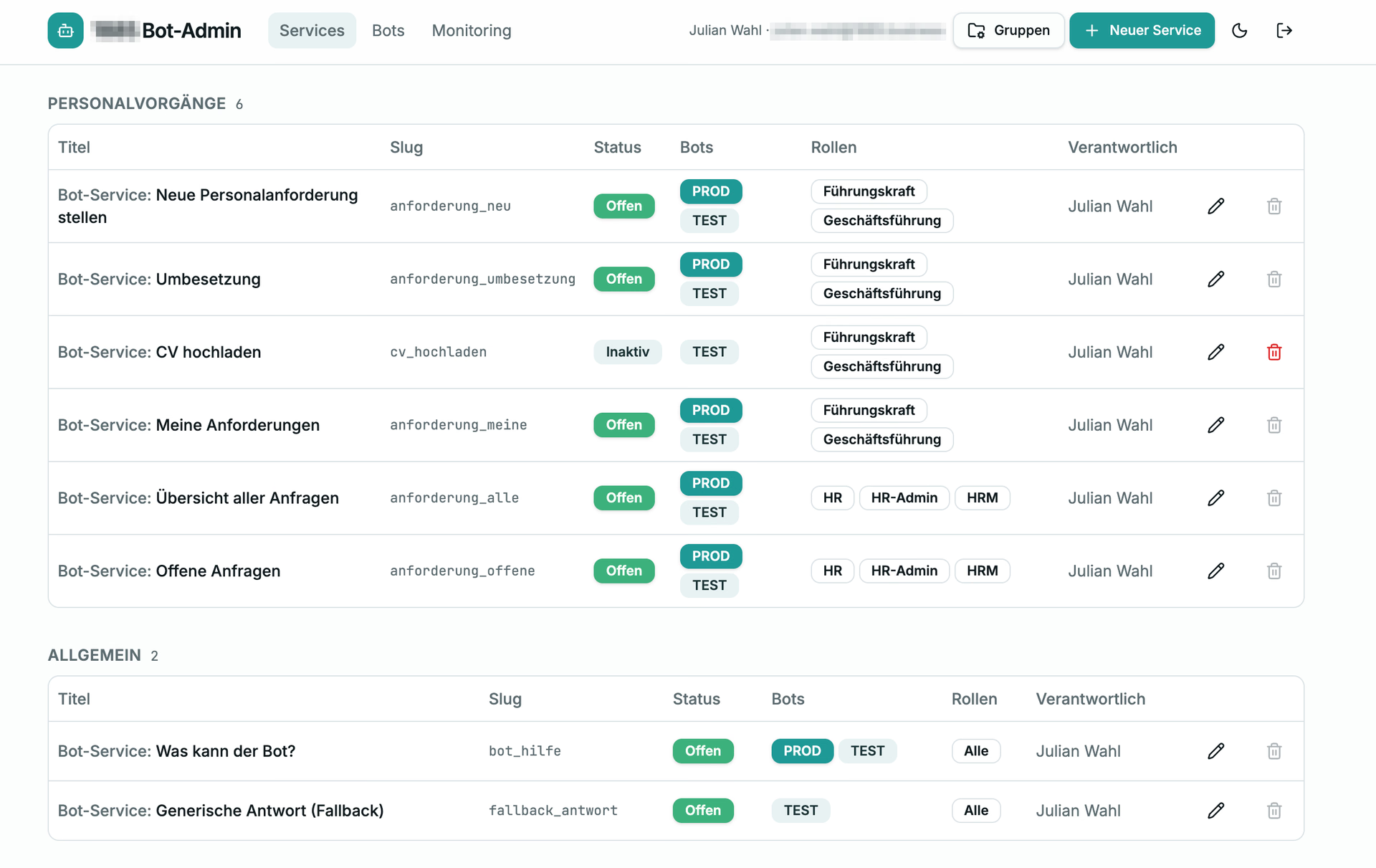
Supabase forms the backbone of the data model. This is where all information on people, contracts, status information and all links relevant to the lifecycle are stored. Supabase allows us to model and adapt data structures quickly and make them available via clear APIs – to Lovable, to Teams, to n8n. It is precisely this openness that allows the data model to grow without having to rebuild the overall process every time.
n8n is the conductor in the background. This is where the workflows that connect the individual steps come together: a new personnel requisition in Teams triggers a chain – data is created in Supabase, HR is notified, a contract draft is prepared, AI models enrich information, check for completeness or pre-draft texts. Extracting structured data from CVs is also handled by an AI step here, so that forms are automatically filled in with the right information and nobody has to type in data manually and error-prone. Individual building blocks thus become an end-to-end process without us having to dive deep into our own back-end engineering.
Claude is also an integral part of the setup – in a special role. Claude handles communication between the tools via MCP and actively supports me in the implementation: n8n workflows are created directly by Claude, data structures are sketched out together, and logic is thought through before it goes into the actual build. This makes AI not only part of the solution, but also part of the development process.
So what is being created here is not an AI product in the classic sense. It is a process in which AI intervenes at exactly the right points – in understanding input, suggesting next steps, generating texts and classifying data. People remain responsible. But they are noticeably relieved.
Outlook: When knowledge moves to people, not the other way round
It gets exciting when you take this approach further. The architecture described is not limited to the user lifecycle. The same pattern of data model, orchestration, interfaces and AI components can be transferred to a wide range of other use cases. Internal knowledge bases are particularly interesting: design systems, style guides, guidelines or documentation can be integrated so that employees can ask targeted questions about them – instead of working their way through PDF collections and Confluence pages.
The underlying idea can be applied to any domain and any industry: making knowledge within the company available in a tool-agnostic way. It does not always have to be a chatbot – just as it does not necessarily have to be Teams, Lovable or n8n. What matters is that the knowledge is modeled cleanly once in a central place and, from there, made available in any tool via open interfaces such as MCP. The information comes to people instead of people having to search for it – exactly where they are already working.
This is where the strength of domain-specific AI shows: it is not smarter than the large models. But it is closer. Closer to the data, closer to the processes, closer to the people who work with it every day.
The possibilities AI opens up are huge. But they only unfold when AI is not understood solely as the end product. The leverage lies in the journey there – in the processes, in the data model, in the orchestration, in the question of where AI contributes what. That is exactly the task of good UX solution architecture. Those who master it build AI solutions that actually get used.