
The first announcements of the Leap Motion Controller certainly brought to mind the oft-cited images from the film Minority Report for many people. The question quickly arose whether the Leap Motion Controller truly has the potential to bring touchless interaction into everyday computer use in the near future. Similar hopes and expectations were raised in 2011 with the release of the Kinect, which, upon closer examination, proved suitable only for a limited range of applications.
The Leap Motion sensor is an input device that operates entirely without touch, based on infrared technology. It allows a computer or application to be controlled through hand and finger movements in free space. Unlike the Kinect, this sensor is designed for short distances and is therefore suited for use with a PC. It consists of an inconspicuous aluminum housing the size of a marker pen with an embedded dark plexiglass window. It is placed flat on the desk with the plexiglass window facing upward, allowing the user's hands to be captured from below. The sensor spans a sensitive three-dimensional area within which the positions of hands and fingers can be tracked.
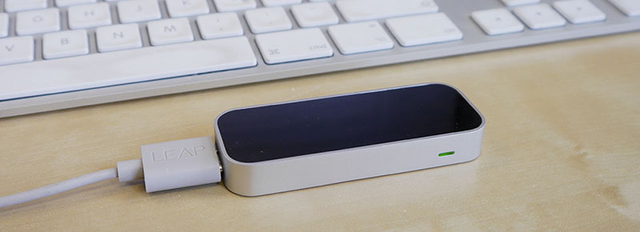
The Leap Motion
Leap Motion apps are provided via a central marketplace (the Airspace Store). Immediately after the hardware launch, around 80 applications were already available for download, demonstrating the sensor's capabilities. Using this collection, Centigrade was able to take a closer look at the Leap Motion and investigate the impressive announcements.
Evaluation
The Leap Visualizer is a simple app that is ideal as a starting point for this evaluation. The application visualizes the raw data of the Leap Motion sensor in an appealing way. When the user places their hands palm-down above the sensor, stylized 3D models appear as digital representations. Hand and finger movements are precisely transferred to these representations in real time. Particle systems can be influenced by these movements, creating an interesting experience for first-time users.
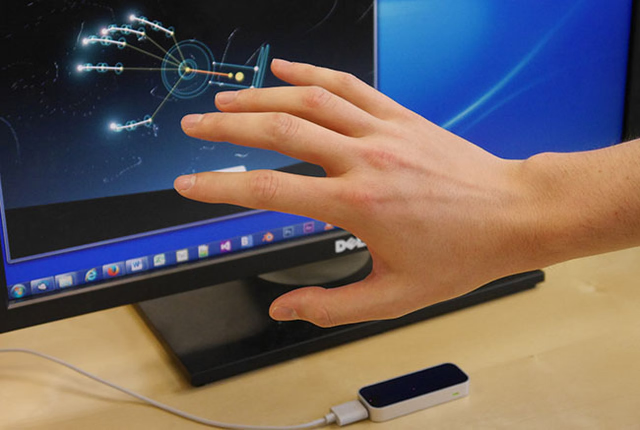
The Leap Visualizer
However, even in this application, some limitations in the sensor's tracking behavior become apparent. Tracking works smoothly only when the user keeps their fingers spread and holds their palms facing the sensor directly. When individual fingers touch during tracking, they are quickly interpreted as a single finger (left image). When all fingers are closed and the thumb is tucked in, the Leap Motion recognizes only the palm (center image).
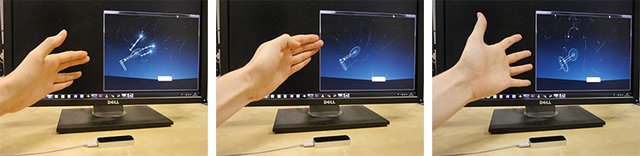
Limitations of the Leap Motion
A further problem emerges when the palm is rotated perpendicular to the sensor. In this case, the positions of individual fingers and hand orientation are difficult to calculate, resulting in unstable tracking (right image). This is because the sensor looks upward from its lying position, causing fingers to occlude one another. For the sensor to calculate hand orientation, the user is required to keep fingers slightly spread and orient the palm toward the tabletop.
However, most applications do not require full hand orientation. A single pointing finger is usually sufficient. Using this pointing gesture, the user can control a cursor on the screen. This works very well, for example, in games like Fruit Ninja and Cut the Rope. In these apps, virtual objects on screen are sliced with a targeted finger swipe. Only the orientation of one finger is needed to project it onto the cursor. Since cursor precision is less critical in these games and the mechanics revolve around fast movements within a certain area, the pointing gesture works very well in this scenario.
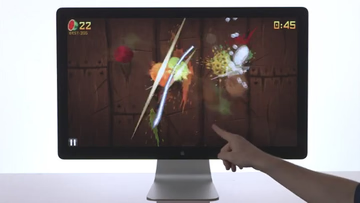
Fruit Ninja (Source)
The picture is different for many other applications that use the pointing gesture. The Touchless app aims to enable control of Windows and Mac OS X via Leap Motion. The space above the sensor is divided into two areas by an imaginary dividing wall. All movements in front of the divider are interpreted as mouse movements. When a finger breaks through the divider, it is interpreted as touching the desktop, enabling actions like clicking and dragging. This metaphor requires high precision — which the sensor provides, but the human hand cannot sustain. Human hands and fingers are not precise enough for pixel-accurate pointing in space over time. Simply opening a folder can become a challenge, inevitably raising the question of whether the user wouldn't get there much faster with a mouse. Similar issues were also discussed in our blog article on the Kinect sensor.
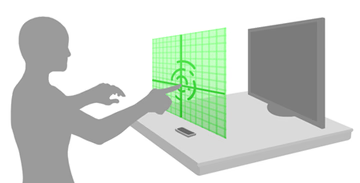
Touch plane of the Touchless app (Source)
One characteristic that distinguishes the sensor from conventional devices like mouse and keyboard is its 3D tracking in space. Since the sensitive area describes a volume, 3D positions can be derived from it. This allows translation, rotation, and scaling operations to be performed on virtual objects. The Airspace Store also offers apps for this use case (e.g., Cyber Science – Motion), but they all share a common problem: the sensor is so sensitive that it is difficult to distinguish relevant movements from incidental ones. When a hand is in the sensitive area, it is tracked, and the system has difficulty determining whether the movement is intended to affect the application. Many apps work around this issue with additional finger gestures, but in practice this leads to unnatural and tiring interactions.
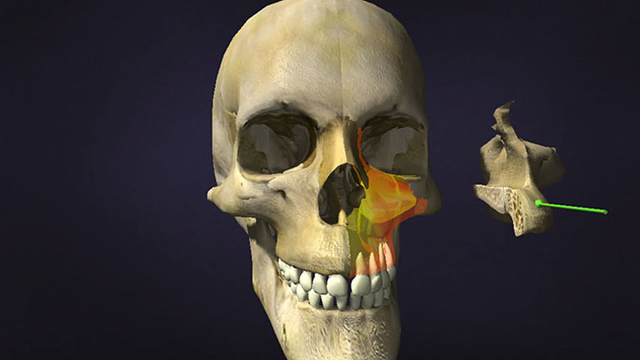
Cyber Science – Motion
Conclusion
In summary, the sensor's accuracy is fundamentally very high — but this is simultaneously its disadvantage. Most of the tested apps struggle to distinguish interaction-relevant movements from incidental ones, reacting instead to every tiny movement within the sensitive area.
This behavior is, however, exactly what is desired for the pointing gesture and poses no problem there, since finger movements are continuously transferred to the cursor. As long as this gesture occurs in a single fluid motion, applications can be controlled in a comfortable manner. However, when it comes to fine motor tasks, the lack of haptic feedback makes interaction feel unnatural and increasingly difficult over time.
THE VERGE captures the challenge facing touchless interaction concepts like the Leap Motion quite precisely with the following quote:
"It's important that we not lose track of the goal of technology: to make our lives easier. Human beings are meant to touch, manipulate, peel, push, click, tap, brush, rub, knock, squeeze, and feel. Creating a user interface that ignores human behavior does not improve how we interact. (…) The Leap Motion Controller, while cool, doesn't improve anything."
However, additional devices in the future — such as the research project Aireal by Disney Research — could provide haptic feedback for touchless human-machine interaction.