
In mid-August, we at Centigrade finally got to hold — or rather, wear — an Oculus Rift. The current version of this Head Mounted Display (HMD) is the Development Kit 2 (DK2). This short evaluation documents our first steps with the Oculus Rift DK2.
Back in 2013, Oculus VR already sparked a revolution in the Virtual Reality (VR) gadget space with the DK1. With the first preliminary version of the Oculus Rift, the company demonstrated the potential of VR for the broader consumer market where the affordable headset is intended to establish itself. Notably, it gradually became known that major companies like Sony, Google, and Samsung were also working on HMDs — demonstrating that even the industry giants are placing great hope in this technology and are reluctant to neglect this market.
Development Kit 2
Oculus VR keeps the development process of their kits very transparent and, with the DK2, gives the developer community a second opportunity to work directly with the hardware and provide important feedback. Compared to the DK1, the DK2 brings two major improvements:
- An external camera enables improved "positional tracking" — tracking of the player's actual position — which largely eliminates motion sickness.
- A higher-resolution OLED display with 960 x 1080 pixels per eye and up to 75 Hz refresh rate enables a smoother and clearer image.
The Setup
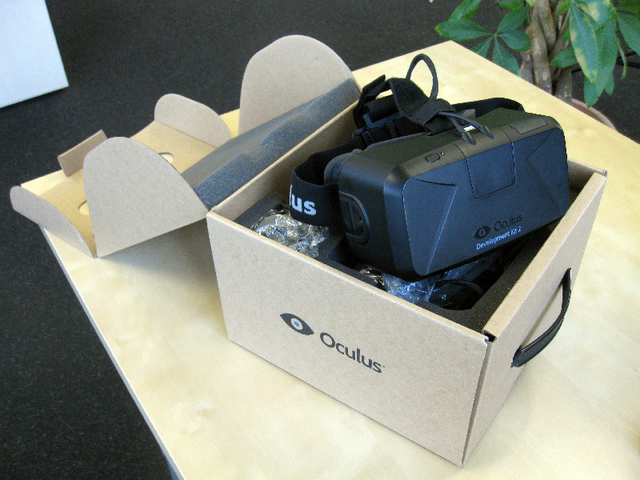
The DK2 arrives in a plain brown box containing the headset, an IR camera, cables, and lenses. These hardware components must first be positioned and assembled according to the Oculus Rift DK2 Instruction Manual before the software installation can begin. After creating an account at the Oculus Developer Center, the latest drivers can be downloaded. For initial testing, we installed only the Oculus Runtime. An "Oculus Configuration Tool" allows user-specific parameters to be set, including the IPD (Interpupillary Distance), which defines the distance between pupils. To test the settings, a demo scene can be loaded at any time during configuration.
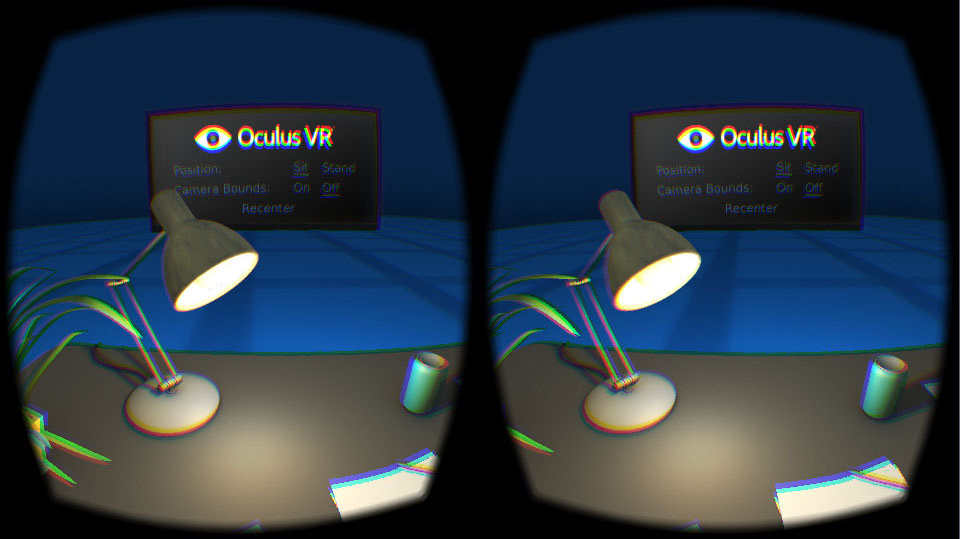
This demo gives a quick first impression of the Rift, visualizing a simple desk with objects. The wearer immediately feels a sense of immersion and instinctively feels as though they are actually sitting in front of that desk. The urge to reach for one of the virtual objects or explore every detail of the scene is overwhelming — so much so that it comes as a surprise when you look down and see only an empty red chair instead of your own body!
Oculus VR Share
But a demo alone is not enough. Oculus VR enables the distribution of applications and games via Oculus VR Share. A large number of applications specifically designed or ported for the headset are available there. For this article, only a few applications from this portal were tested, as this is known to take considerable time. It was notable, however, that at the time relatively few applications had been updated for the new DK2 with SDK 0.4. A detailed look at this offering will follow in later articles.
Development
More relevant for this article is the development of custom software. This fundamentally requires the Oculus SDK 0.4. Development for the Oculus Rift has been strongly supported and promoted by Unity 3D from the beginning, making a Unity 4 Pro Integration available as a Unity package. As expected from Unity 3D, HMD integration is kept very simple. Once the package is imported, the standard camera can be replaced with a special "OVRCameraController". Without going into too much detail about the evaluation application, developing for the Rift in Unity proves to be very efficient and well-conceived. When developing VR applications, optimal User Experience (UX) plays an enormously important role alongside pure software development.
User Experience
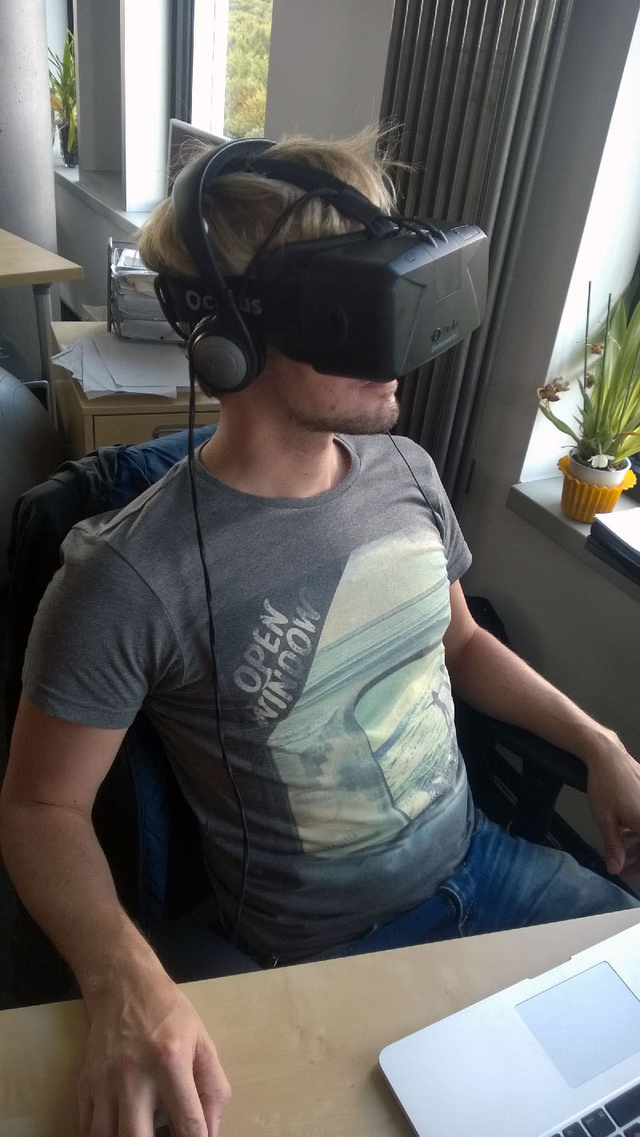
Developing VR-compliant applications for HMDs presents a new challenge for developers and UX designers alike. The biggest difficulty is maximizing immersion and allowing the user to dive as fully as possible into the virtual space. As an introduction to this topic, Oculus VR provides a [Best Practices Guide - Link is no longer available - Link: https://developer.oculus.com/design/latest/concepts/book-bp/] covering important aspects. For example, it strongly warns against controlling the user's viewpoint (camera position) independently of their real-world head position via software. As soon as this happens, the wearer immediately loses the sense of immersion and may also lose their sense of balance and well-being. The guide also recommends positioning user interfaces at approximately 1.5–2 meters from the user to ensure readability and usability.
Through our evaluation, particularly in the context of user interfaces, we became aware of a seemingly trivial but highly interesting property of HMDs: user interfaces are not tied to a specific pixel count! The user can look in any direction through head movement, enabling interfaces of any size to be viewed. The Rift's actual pixel count (960 x 1080) is in this context truly only an indicator of image sharpness, not of its extent.
A virtual representation of the user's own body is also quite important. As described above, its absence surprises the user and disrupts immersion. The absence of one's own hands, however, is genuinely uncomfortable and poses a real problem for user experience. Interestingly, the developers of the Leap Motion have already addressed this issue, offering hand tracking as a compelling complement to the Rift.
Conclusion
With the DK2 and Unity 3D, Oculus VR is clearly heading in the right direction. In this article, we deliberately avoided discussing hardware-side growing pains, as the product is explicitly labeled a "Development Kit" and — given the technical leaps between DK1 and DK2 — we are confident that the consumer version of the Rift (expected late 2015 / early 2016) will be on an even higher technical level.
For us, evaluating the SDK and the user experience is the priority. While VR-compliant development for optimal UX and immersion is certainly a challenge, we also see great potential for HMDs beyond gaming — in serious Industry 4.0 contexts. The immersion is remarkable, and scenarios such as virtual architecture and product presentations as well as complex data visualizations will certainly gain traction in industry. It is no coincidence that educational institutions and companies have invested heavily in costly systems like CAVEs and Powerwalls over the past decades. An HMD like the Oculus Rift can replace such systems at a fraction of the cost and even make them accessible to the mass market. The only current bottleneck is intuitive interaction within the virtual space — but this is already being partially addressed with peripherals like the Leap Motion and the Move Controller.
Since the field of modern VR gadgets is still relatively young yet has already produced impressive results, we believe these devices have the potential to fundamentally transform human-machine communication. We look forward to what the future holds!